Some professionals sell digital copies of their photos from their online galleries and their website. This article shows you how to find photos for sale, buy them, and download them afterwards.
Where to find it: Open the gallery link your professional sent you (or the email "Photos for [your name] are ready"), or visit their website. Photos for sale show a shopping bag.
In this article
- What you can buy
- Find photos for sale
- Add photos to your cart
- Your cart
- Check out
- Download your photos
- Your receipt
- If you are the client on the project
- Refunds and questions
- Troubleshooting
What you can buy
- Digital photos, full size: the original file, without a watermark, to keep and print.
- The whole gallery: when your professional offers it, all the photos for sale at one price, usually less than buying them one by one. If you already bought some of them, the offer may say "The 3 photos you don't have yet" with a lower price: you pay only for those, and you get them all.
Prints aren't sold through RebookMedia. You pay in US dollars by card, Apple Pay or Google Pay, with a US billing ZIP code.
Find photos for sale
In the gallery, photos for sale show a shopping bag in the corner. Photos without a bag aren't for sale. The Cart button at the bottom right shows how many photos are in your cart.
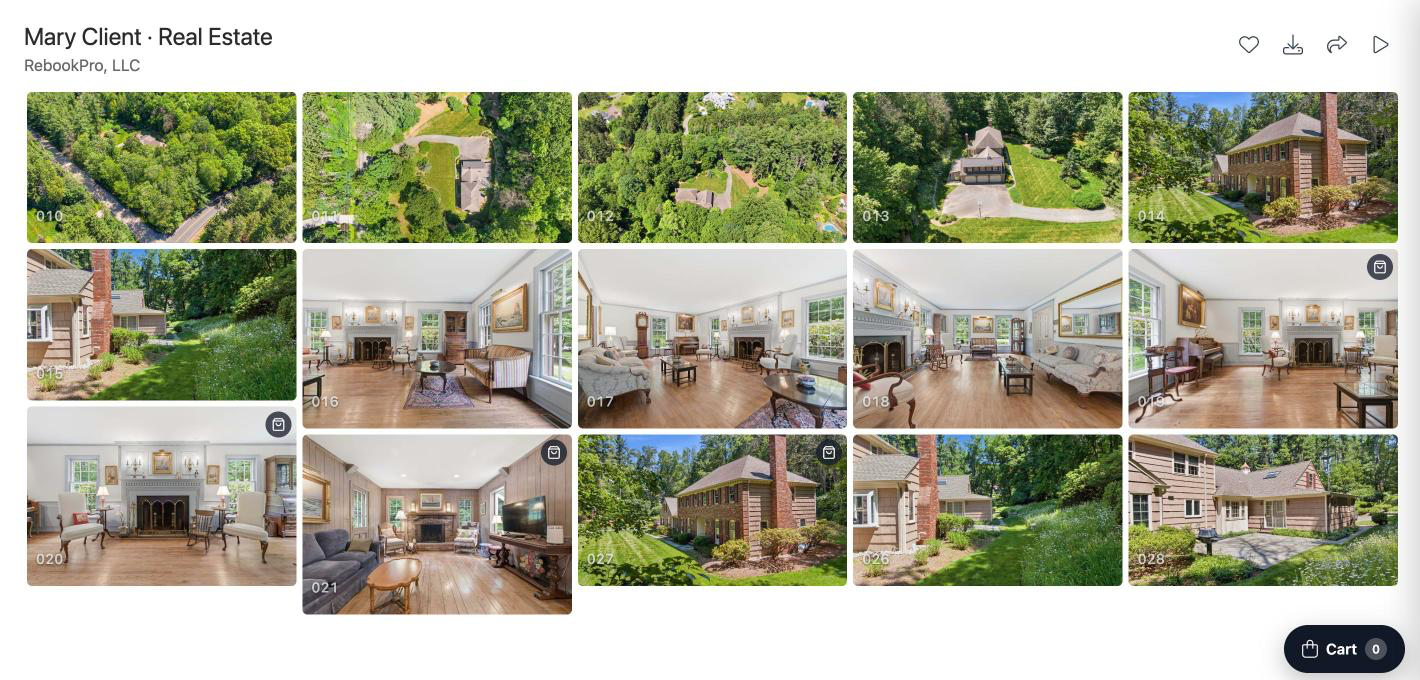
Add photos to your cart
- Click the bag on a photo (Buy this photo). It then shows In cart.
- Or open the photo full screen and click the bag button under it.
- On a website, open the photo and click Buy this photo.
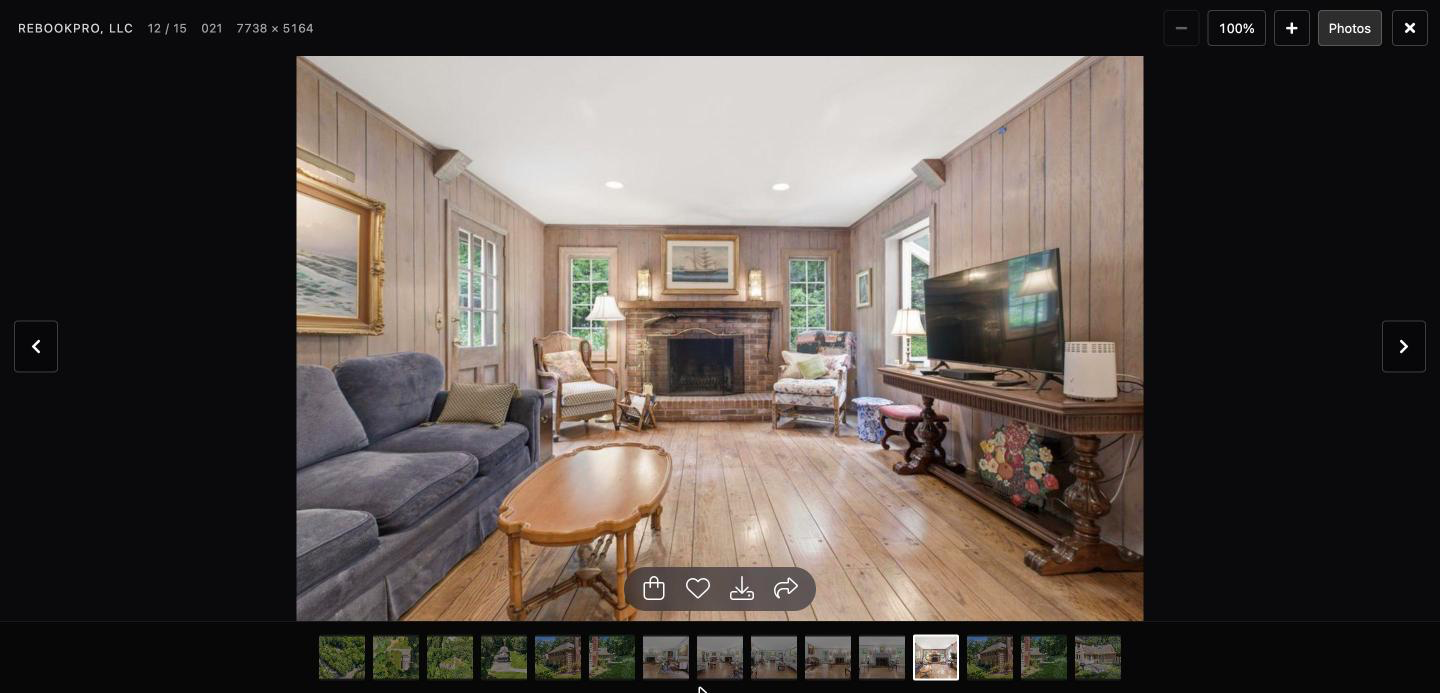
Your cart is kept on this device and browser.
Your cart
Click Cart to open Your cart. You see each photo ("Digital, full size") with its price and a Remove link, and:
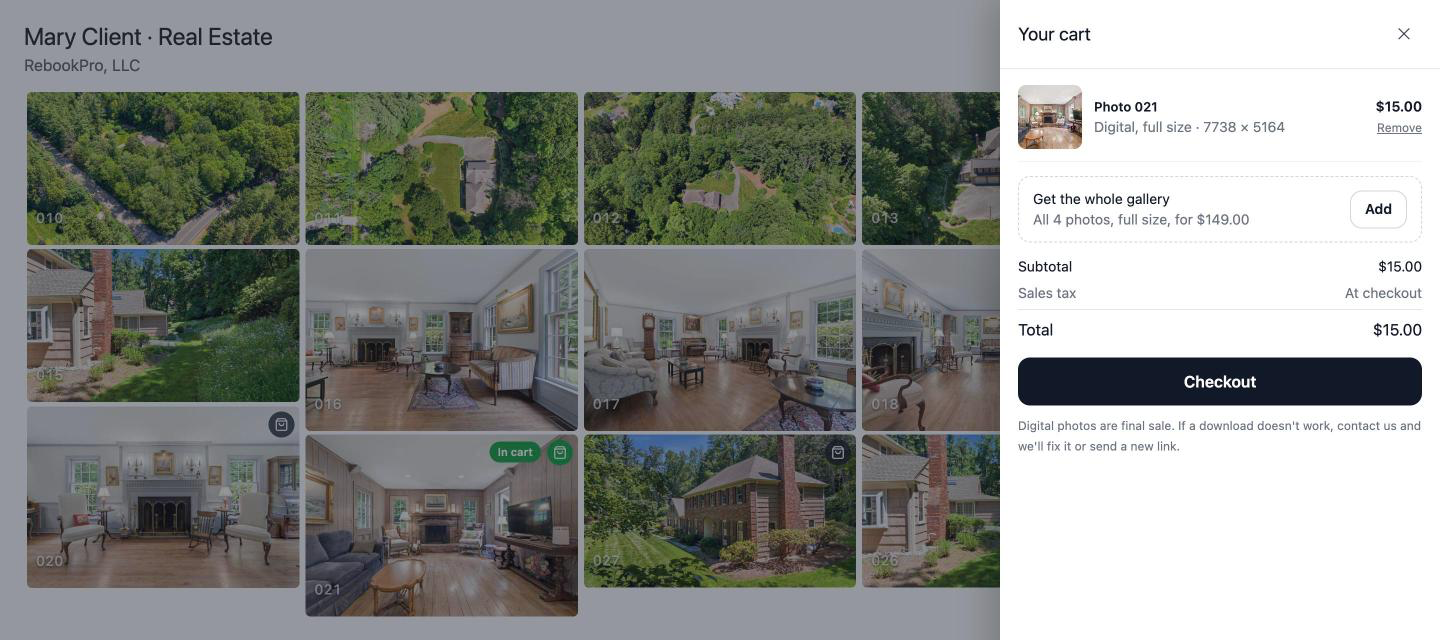
- Get the whole gallery: click Add to buy every photo for sale instead, when offered.
- Subtotal, any discount you get as the project's client, Sales tax (shown as "At checkout" until you enter your ZIP code) and the Total.
- Your professional's refund policy, under the Checkout button.
Check out
- Click Checkout.
- Sign in: continue with Google, or enter your email and the 6-digit code we send you (it works for 10 minutes). You don't need a password.
- Your details: enter your Full name, your Phone (optional, a US number such as 908-555-1212) and your Billing ZIP code, then click Continue to payment. Tick Send updates about my order by text to also get your download link by text.
- Payment: enter your card, or choose Apple Pay or Google Pay, and click Pay $X. You pay your professional directly through Stripe.
- You see Thank you! with your photos ready to download.
Sales tax is added if your professional collects it in your state and digital photos are taxed there.
Download your photos
- In the thank-you window, click Download all. On a phone, click Save to Photos to save them to your photo library. For several photos, you can also click Download as ZIP.
- Later, use the Download your photos button in your receipt email, on any device, without signing in.
- Or open the gallery, sign in, and find them under Your purchases in the cart. Photos you bought show a download button with "Download (you bought this photo)".
Your download link works for 1 year after your purchase, as long as the gallery is online. Download your photos soon and keep a copy. If you asked for texts at checkout, the same link also comes by text right after you pay; reply STOP to stop texts.
Good to know: purchases show in the gallery or website where you bought them. If you bought from several galleries, use each receipt email.
Your receipt
After paying, you get an email "Your photos from [business] (order S-0001)" with your download button, what you paid and the refund policy. Click View or print your receipt for a receipt page with a Print / Save as PDF button.
If you are the client on the project
Your professional decides what you get as their client: your digital photos may be included (download them all from the gallery for free), you may get a discount, or you may pay like other guests. To be recognized as their client, sign in to the gallery with the email address your professional has for you.
Refunds and questions
Refunds follow your professional's refund policy, shown at checkout and on your receipt. For questions about your order, a download that doesn't work or a refund, reply to your receipt email: it goes straight to your professional.
If your professional refunds your order, you get an email "Your refund from [business]" with the amount and the card it went back to. Refunds usually reach your card in 5 to 10 business days, depending on your bank. After a full refund, the order's download link no longer works; after a partial refund it keeps working. Your receipt shows the refund.
Troubleshooting
I don't see any bags
Your professional isn't selling photos from this gallery, or none are for sale. Ask them.
"You already bought these photos: find them under Your purchases."
You own these photos already. Sign in to the gallery and open the cart to download them, or use your receipt email.
"Please enter your billing ZIP code."
Enter the 5-digit US ZIP code of your card's billing address.
"The minimum order is $X."
Your professional has a minimum order. Add more photos, or the whole gallery.
My code didn't arrive
Check your spam folder, wait a minute and ask for a new code. Codes work for 10 minutes.
"Your download links expired" or "This gallery was archived"
Contact your professional for your photos.
My payment didn't go through
Check your card details, or try another card, Apple Pay or Google Pay. If you see "Too many tries", wait a few minutes.
Still need help? For anything about your booking, photos or invoices, message your professional from your account's Inbox. For help with your RebookMedia account, email support@rebookmedia.com.